Using AA Miner
Please note: Using your mobile to mine TurtleCoin is not effective and should only be done for the lulz. It may also cause the phone to overheat and result in premature silicon degradation, shortening the lifespan of your phone.
Setup
- Download the AA Miner app from the Google Play Store.
- Upon downloading and installing, open the app.
- Check AA Miner Configuration
Beware, AA Miner displays a lot of ads.
AA Miner Configuration
- Select
CryptonightLight v1from theSelect Algorithmdropdown menu. - Specify how many cores you want to use. We recommend using half of how many cores your phone has. So if your phone has 8 cores, enter
4 - Enter a pool of your choice in the format
stratum+tcp://pool_url_address:pool_port. For Examplestratum+tcp://pool.trtl.unipool.pro:3333. To view a list of pools, you can go here - Enter your TurtleCoin wallet address
- Enter the password of the pool. For most, it will be
x - Click on the
Start Miningbutton to start mining.
Expected Results
The miner should now start mining and stats like hashrate and accepted shares will be displayed
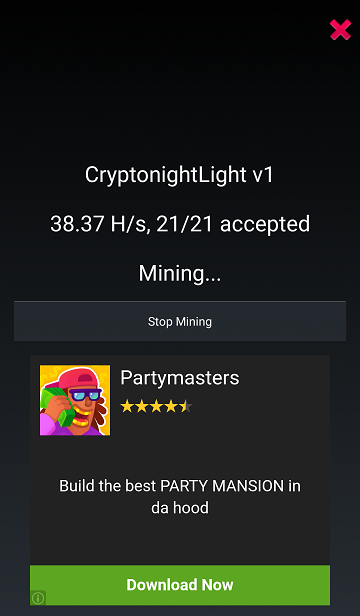
Congratulations! You're now mining with your phone!
Feeling the lagginess yet? ;)